This one catches people out. A client completes your intake form. You ask a question. They give you the answer. So naturally you'd assume Splose now knows that information. Not necessarily.
A lot of ordinary responses on a Splose form live inside the submitted form. You can go back and read them, but you can't necessarily use that answer elsewhere in Splose.
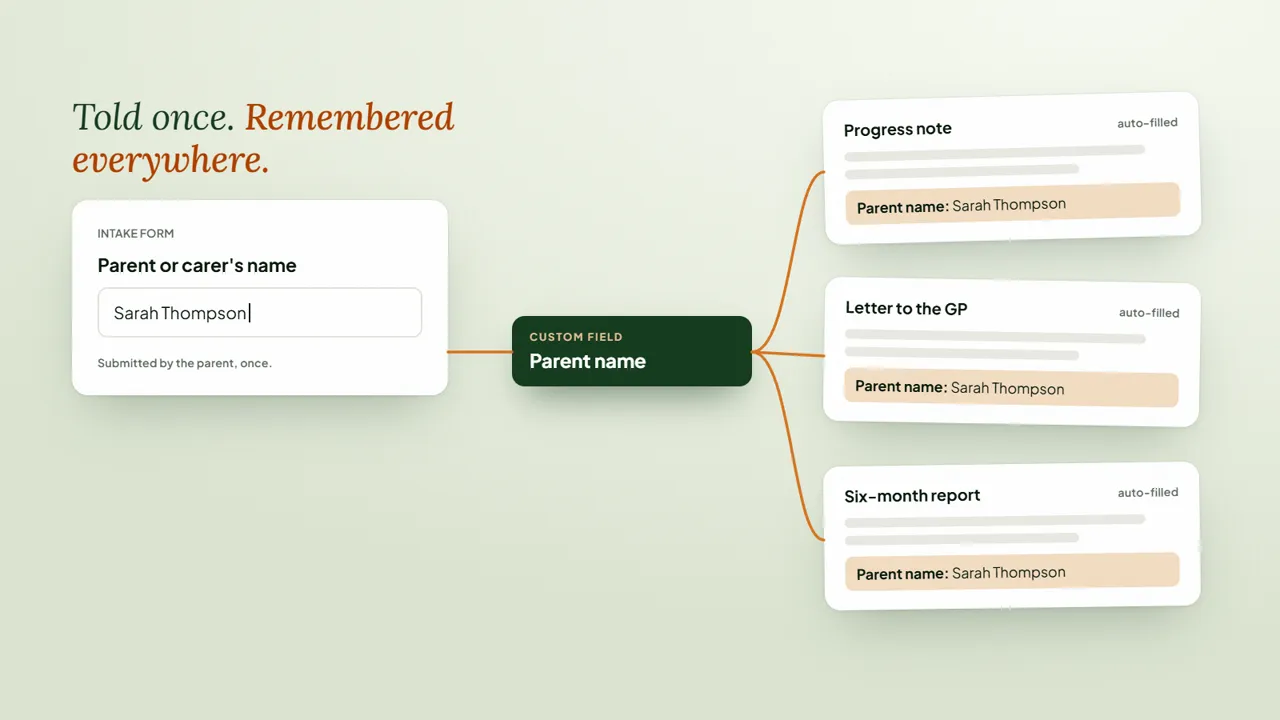
That's where custom fields become really useful. Instead of thinking of them as just "extra fields", think of them as pieces of information you want Splose to remember about this person.
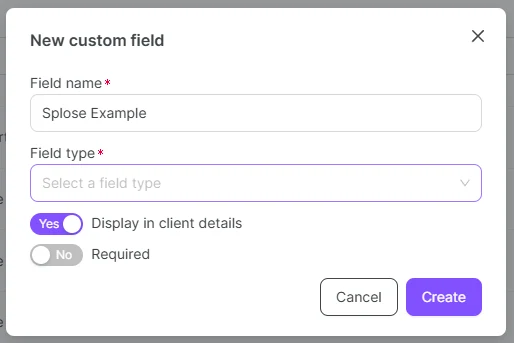
For example, in our clinic we need the position of the parent and child on the Medicare card. Splose doesn't hold that exactly how we need it, so we created fields for it.
We also use a custom field for referral source because we want parents to tell us how they found us during enquiry, rather than somebody having to ask later and remember to record it.
One physio clinic I've worked with wanted client height available in their reports. It doesn't need a fancy system. They just need somewhere reliable for it to live. Custom field.
NDIS goals are another obvious example. Rather than somebody finding the goals, copying them into a progress note, copying them into a letter and hopefully using the latest version each time, they can live in one place and be pulled into your templates when needed.
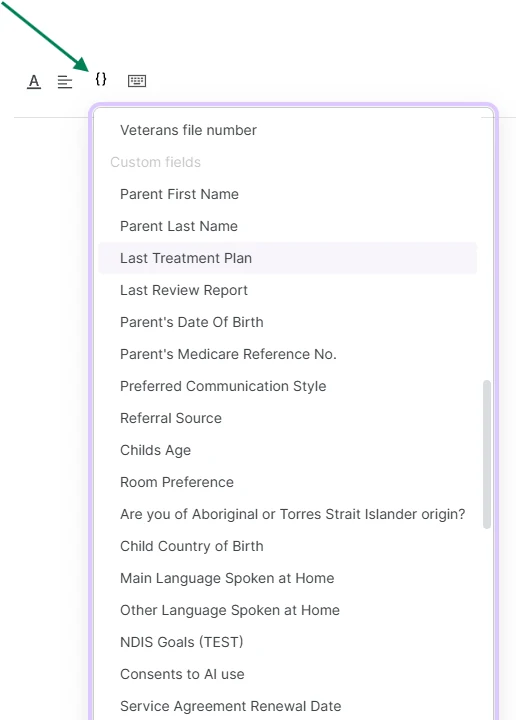
Client tells you once. Splose remembers it. Your templates pull it back out when needed. Less copy and paste. Less searching through old forms. Fewer "where did we write that?" moments.
There are some limitations. At the moment, custom fields can be pulled into progress notes and letters, but I'd love to see that expand further into appointments and emails over time.
Still, if you're collecting something during onboarding that your team regularly needs again later, I'd check whether it should actually be a custom field rather than just another question on a form.
This one is much easier to understand when you see both ends of it: information coming in through the form, then coming back out through the template.